
Secret rotation is a security best practice that limits the exposure window if a credential is compromised. You might rotate secrets when:
- A team member with access to credentials leaves
- You suspect a credential has been exposed
- Your security policy requires periodic rotation
These steps will guide you on updating the password for your Clerk integration.
- You have Clerk installed through a Native integration from Vercel Marketplace
- You have access to manage your account’s resources, including your Clerk integration
- From your Vercel dashboard, go to the Integrations tab.
- Select your Native Clerk integration, Native integrations appear with the “Billed Via Vercel” badge
- Click “Open in Clerk” from resource integration page
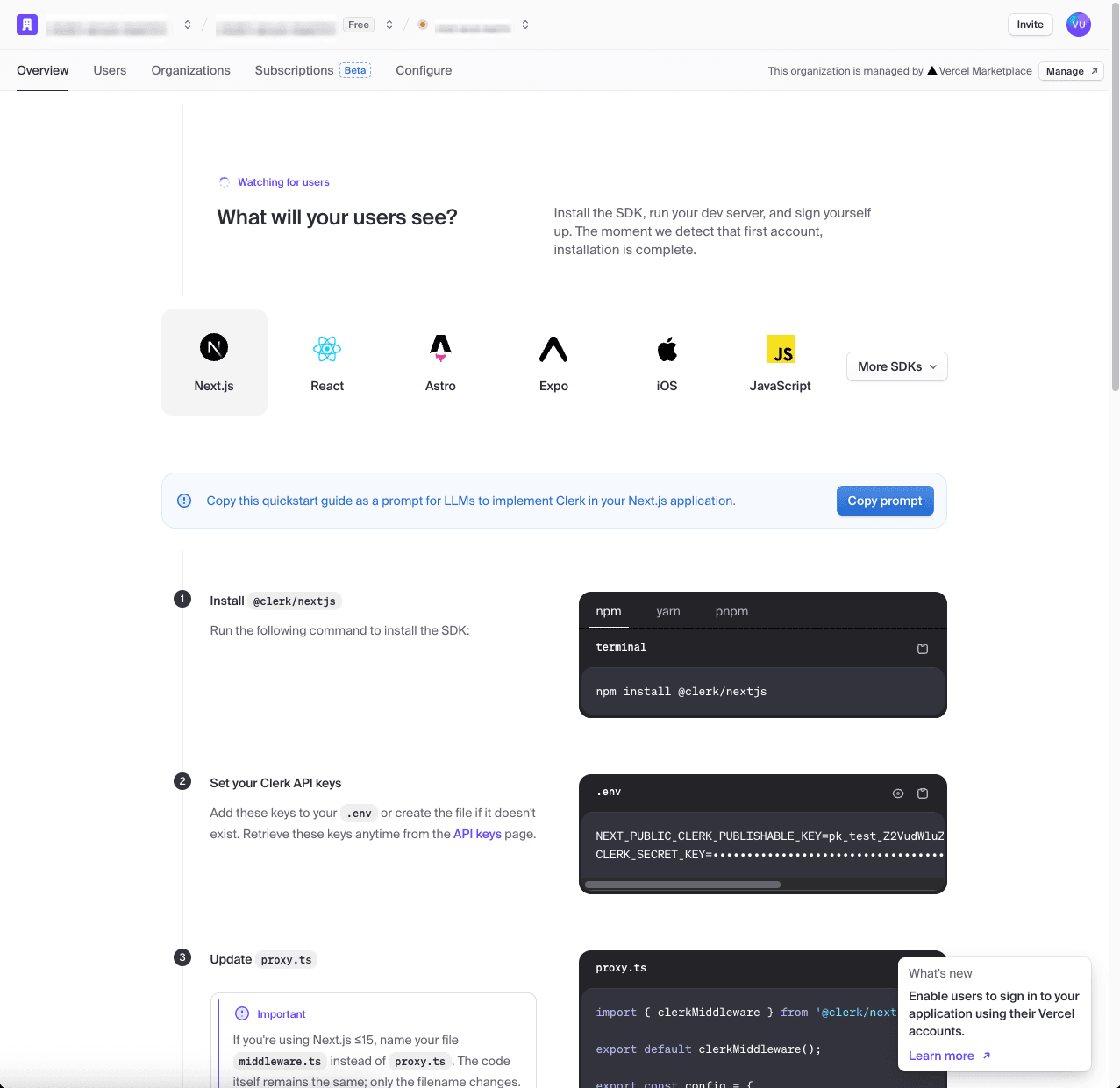
- In your Clerk project, click configure.
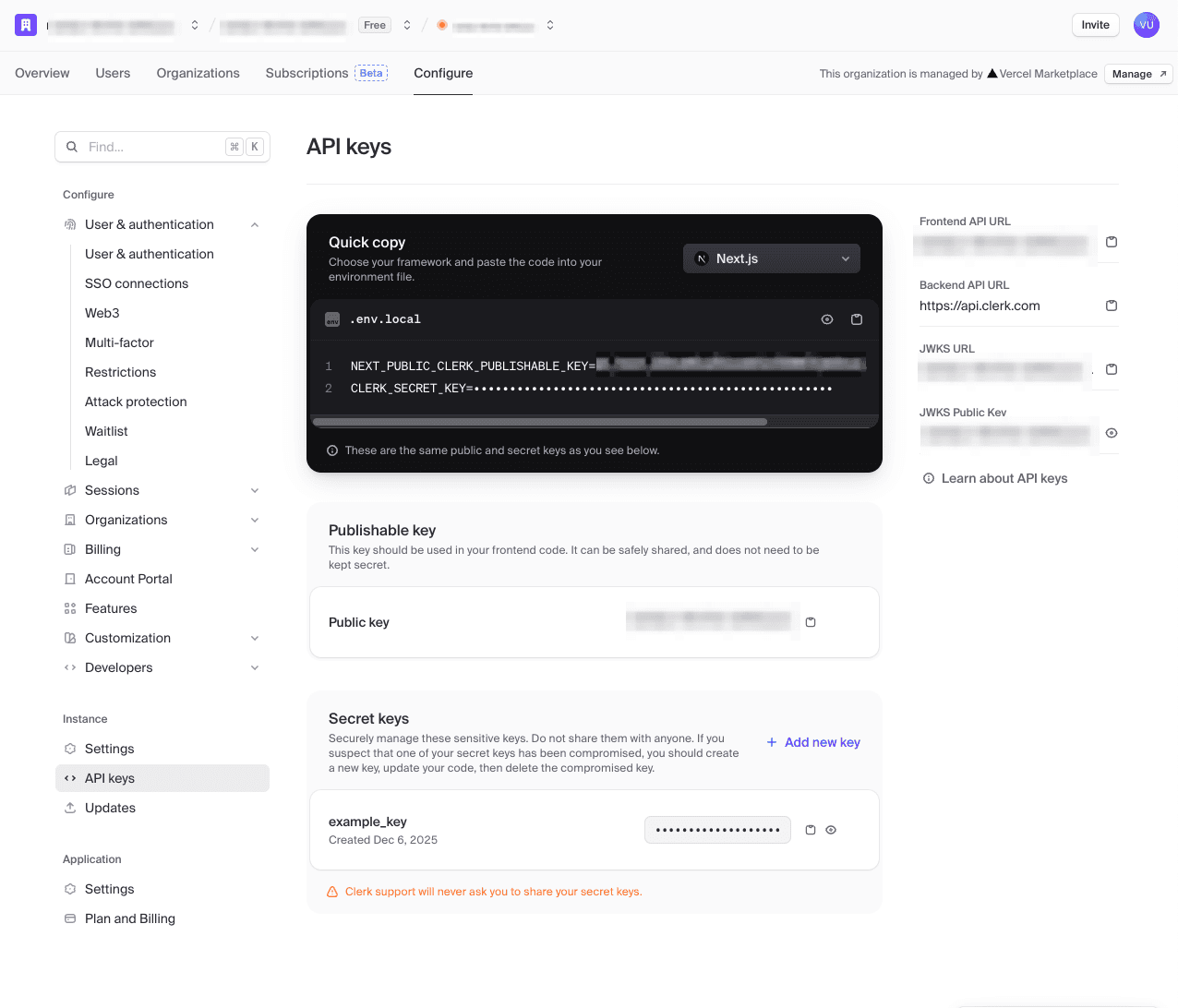
- Under instance click API keys
- Under secret keys add a new key
- On Vercel’s dashboad, go to
- Remove the previous API key
- Repeat for other projects and environments as necessary
- Go back to Clerk’s integration page and confirm the new API key is present
- Deploy any connected projects in Vercel